
Three ways classical cipher tools go quietly wrong
Caesar, Vigenere and Atbash all look like table lookups, but case handling, non-letter characters and key alignment each fail silently when done wrong.
The site’s cipher tool covers Caesar, ROT13, Atbash and Vigenere. All four are textbook algorithms, under a hundred lines together, yet three details fail without an error — they just produce results that look plausible.
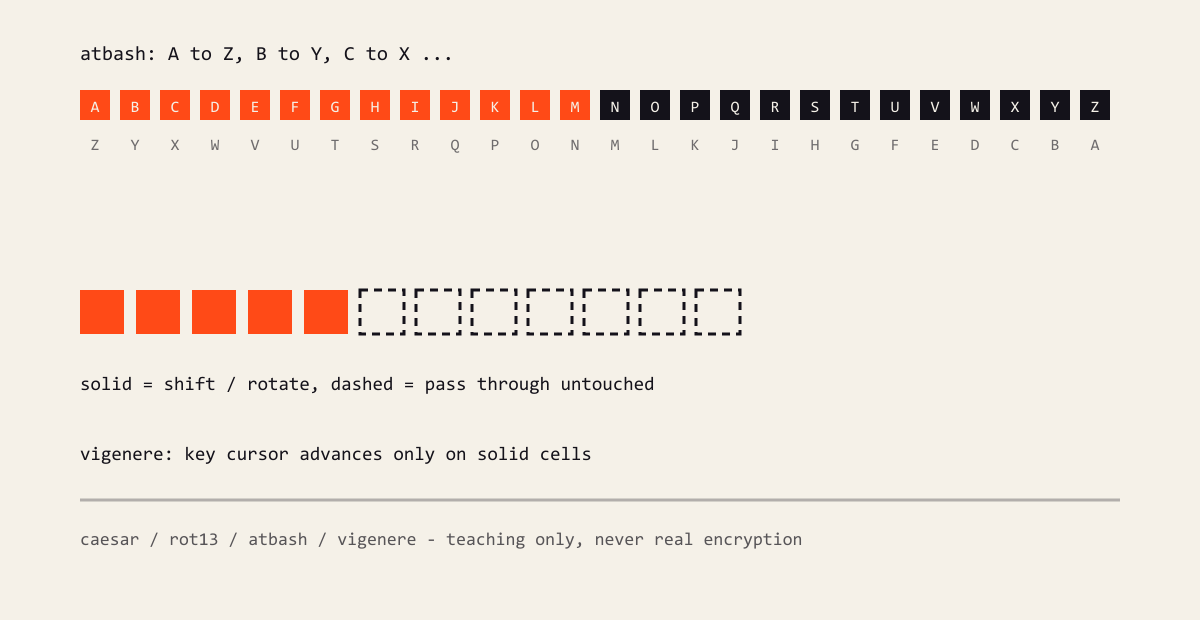
Figure: state advances only inside solid cells; spaces, digits and CJK pass through untouched.
Caesar: normalise the shift, leave non-letters alone
The naive version adds the shift to each character code:
text.split('').map((ch) => String.fromCharCode(ch.charCodeAt(0) + shift))Two problems. A negative or large shift lands in punctuation territory, and spaces plus punctuation get shifted along with the letters.
Normalise first, then wrap only inside the alphabet:
export function caesar(text: string, shift: number): string {
  const step = ((shift % 26) + 26) % 26;
  return text.replace(/[a-z]/gi, (ch) => {
    const base = ch >= 'a' ? 97 : 65;
    return String.fromCharCode(((ch.charCodeAt(0) - base + step) % 26) + base);
  });
}
The regex only matches letters, so everything else passes through untouched, and case is preserved in both directions.
Vigenere: the key skips non-letters, not positions
Here is the broken version:
for (let i = 0; i < text.length; i += 1) {
  shift = key.charCodeAt(i % key.length) - 65;
  out += shiftChar(text[i], shift);
}
The index i stands for both the plaintext position and the key position. A space in the plaintext advances the key by one, and everything after it is misaligned.
The fix is a key cursor that advances only on letters:
let cursor = 0;
for (const ch of text) {
  if (!/[a-z]/i.test(ch)) {
    out += ch;
    continue;
  }
  const shift = key.charCodeAt(cursor % key.length) - 65;
  out += shiftChar(ch, shift);
  cursor += 1;
}
That is also how you do it by hand: the key follows the letters.
Atbash: it only exists for the Latin alphabet
Atbash mirrors A to Z and B to Y. It looks like the same kind of mapping as Caesar, but it assumes a fixed, symmetric alphabet.
Implement it as String.fromCharCode(219 - code) and Chinese text, digits and punctuation turn into garbage. Match [a-z] instead:
export function atbash(text: string): string {
  return text.replace(/[a-z]/gi, (ch) => {
    const base = ch >= 'a' ? 97 : 65;
    return String.fromCharCode(base + 25 - (ch.charCodeAt(0) - base));
  });
}
Chinese passes through unchanged. That is not a limitation of the implementation; the cipher’s domain never included it.
The shared lesson
All three are the same mistake wearing different clothes: these algorithms are defined on an alphabet, not on a string.
Two rules follow:
- Bound the work with
[a-z]and pass everything outside it through untouched - Advance every piece of state (shift, key cursor) only inside that bound
The tool page also keeps one line: classical ciphers are for teaching and puzzles, never for real encryption. That sentence matters more than the implementation.
Comments
…